HEIC to JPG/PNG Converter – Local Batch Conversion for iPhone Photos
Type: Software (desktop utility) Status: MVP Tech Stack: Python 3, Pillow, pillow-heif, Tkinter (ttk), JSON config, Windows batch launchers (automatic venv setup) Problem Statement HEIC/HEIF is Apple’s default format for iPhone photos, but older image viewers, print shops, web uploads and office documents frequently cannot read it. Online converters solve that, yet they require uploading
THE IDEA
HEIC to JPG/PNG Converter – Local Batch Conversion for iPhone Photos
Type: Software (desktop utility) Status: MVP Tech Stack: Python 3, Pillow, pillow-heif, Tkinter (ttk), JSON config, Windows batch launchers (automatic venv setup) Problem Statement HEIC/HEIF is Apple’s default format for iPhone photos, but older image viewers, print shops, web uploads and office documents frequently cannot read it. Online converters solve that, yet they require uploading private photos and impose volume limits. A recurring folder workflow instead calls for a small tool that converts whole batches locally and without any online service. Description A lean, fully offline desktop tool that batch-converts HEIC/HEIF images into the universally compatible JPG or PNG formats. It reads HEIC through the pillow-heif library and saves with Pillow — for JPG with adjustable quality and automatic RGB conversion (alpha removal), for PNG losslessly. The tool comes in two variants: a command-line script that processes an entire folder based on a config.json, and a Tkinter interface with folder pickers, format and quality selection, a progress bar and non-blocking conversion in a background thread. Settings are persisted, originals can optionally be deleted after a successful conversion, and input and output folders are created automatically when needed. Bundled Windows batch files set up the venv and dependencies themselves on a double-click. Errors are captured per file, so a single problematic image does not abort the run. Use Case Convert iPhone photos in HEIC format into the universally readable JPG (or PNG) with a double-click, locally and without an online service. Link: https://github.com/rawk7000/heic_to_jpg_png
KEEP EXPLORING
More discoveries
Three more pieces from the archive.
Esterházy – After Dusk, a Walkable Palace Prototype in Unity
Type: Game Status: MVP Tech Stack: Unity 6 (6000.3.11f1), C#, Universal Render Pipeline, Unity Input System, Netcode for GameObjects, Unity Transport, Unity glTFast, UI T...
↗ PROJEKTE
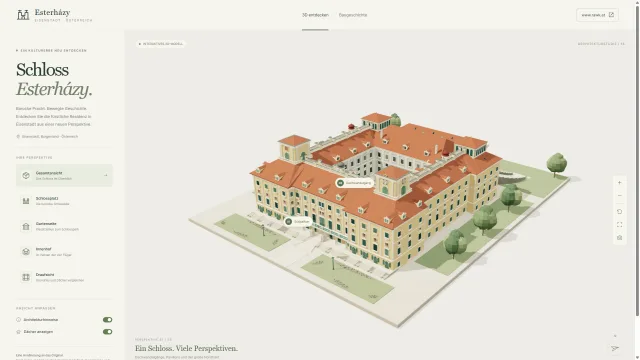
Esterhazy – An Interactive 3D Reconstruction of Esterházy Palace
Type: Software Status: Beta Tech Stack: JavaScript (ES modules), Three.js, WebXR, Vite, Node.js (http server without a framework), Python (Blender scripting, Blender 4.5)...
↗ PROJEKTE
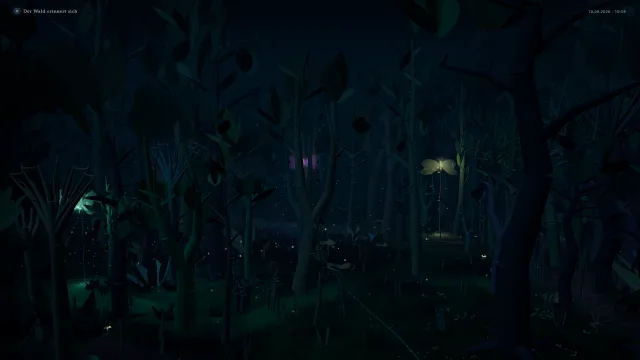
Enchanted Forest – A Camera-Based Generative Exhibition Installation
Type: Software (interactive spatial installation) Status: BetaTech Stack: Python, aiohttp, OpenCV, NumPy, Stereolabs ZED SDK (optional), Three.js, Vite, Vitest, Playwrigh...
↗SEND A SIGNAL
LET’S MAKE
SOMETHING
monstrous.
An idea beyond safe waters?
For extraordinary collaborations, consulting and workshops: send a signal.